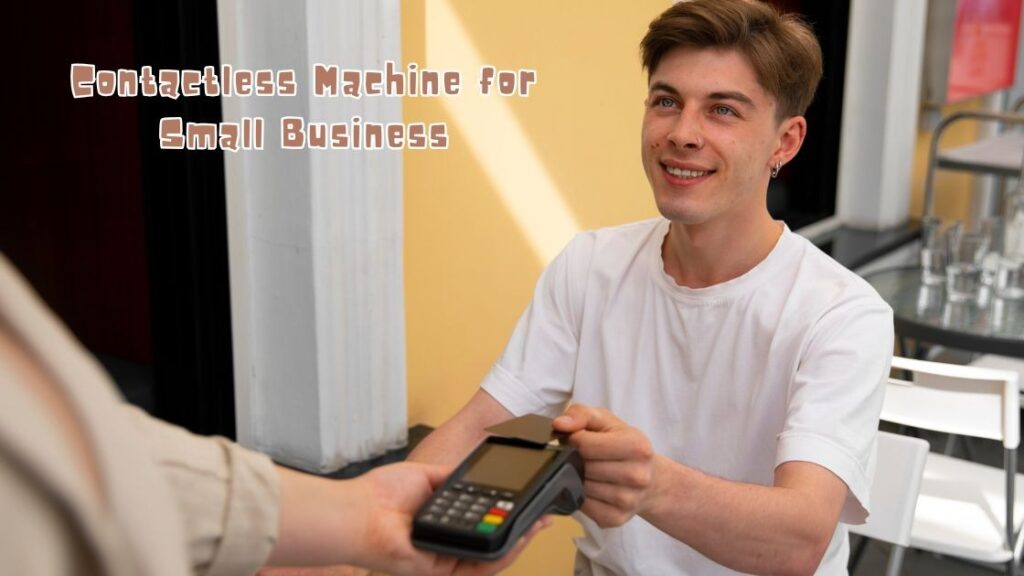
A contactless machine for small business is an NFC enabled payment terminal that accepts tap to pay cards, mobile wallets, and wearable devices, allowing your customers to complete purchases in under two seconds without swiping or inserting anything.
If you own a café, salon, retail shop, food truck, or service based operation, switching to a tap to pay reader is one of the fastest ways to reduce checkout friction and increase repeat visits. According to Coinlaw’s 2025 Contactless Payment Statistics report, 83% of small businesses that adopted contactless technology reported higher customer satisfaction scores. The global contactless payments market is projected to hit $84.2 billion in 2026, growing at roughly 20.8% year over year, according to Research and Markets.
The message is straightforward: buyers expect fast, touchless payments, and small businesses that deliver are winning more sales. This guide covers how contactless machines work, why they matter, which terminals lead the market, how to set one up, and which mistakes to avoid.
Table of Contents
What Is a Contactless Payment Machine?
A contactless payment machine is a point of sale (POS) device that uses Near Field Communication (NFC) technology to read encrypted payment data from a card, smartphone, or smartwatch held within a few centimeters of the reader. No physical contact, no chip insertion, and no signature needed.
Here is how a tap to pay transaction works:
- The customer holds their NFC enabled card, phone, or wearable near the terminal.
- The machine reads a one time encrypted digital token (not the actual card number) through short range radio signals.
- The payment is authorized and confirmed, typically within one to two seconds.
NFC operates at a frequency of 13.56 MHz and works only within about 4 centimeters. This short range makes accidental or unauthorized transactions virtually impossible. Over 95% of all contactless transactions globally use NFC, making it the dominant technology behind every major tap to pay system.
Why Every Small Business Needs a Contactless Terminal in 2026
Small businesses that accept tap to pay transactions see faster checkouts, higher spending, stronger security, and lower operational costs. Here is a closer look at each benefit.
Faster Checkout, Shorter Lines
An NFC tap completes in under two seconds, while a chip card read takes five seconds or more. That gap matters when you serve dozens of customers per hour. Faster processing means shorter queues, less crowding at the counter, and a smoother experience for everyone in line.
Higher Average Transaction Values
Customers tend to spend more when paying digitally. According to Coinlaw’s Digital Payment Infrastructure Statistics, small businesses that adopted digital payment solutions reported approximately a 22% increase in sales compared to those relying solely on cash. Removing the friction of counting bills and waiting for change encourages quicker, larger purchase decisions.
Stronger Security Through Tokenization
Contactless machines use tokenization, which replaces actual card details with a unique, disposable digital code for every transaction. Even if someone intercepted the transmission, the token could never be reused for another purchase. This makes tap to pay significantly more secure than traditional magnetic stripe readers that transmit real card data with every swipe.
Meeting Evolving Customer Preferences
A 2026 study by S&P Global 451 Research found that 53% of U.S. consumers now prefer contactless payments over all other methods. Data from the Epos Now 2025 Payment Trends Survey reveals that 96.5% of surveyed merchants already offer contactless or tap to pay options, and over 50% reported an increase in contactless transactions over the past 12 months. If your business still relies on cash or chip only acceptance, you risk losing buyers who expect a modern checkout experience.
Reduced Cash Handling Costs
Cash comes with hidden expenses that most owners underestimate: counting time, daily bank deposit trips, shrinkage risk, and reconciliation errors. Shifting more transactions to contactless payments streamlines end of day accounting, reduces human error, and frees your team to focus on serving customers instead of managing the register.
Pro Tip: Track your cash handling costs for one month before switching. Many small business owners discover they spend 3 to 5 hours per week on cash related tasks alone. This makes the return on a contactless terminal easier to measure.
Types of Contactless Machines for Small Businesses
The best contactless card reader for your business depends on your sales volume, mobility requirements, and budget. Here are the four main categories.
Countertop Terminals
Fixed devices that plug into power and internet at a dedicated checkout point. They typically include built in receipt printers, PIN pads, and large touchscreens.
Best for: Brick and mortar retail shops, bakeries, pharmacies, and dine in restaurants.
Handheld or Portable Terminals
Wireless NFC readers that run on rechargeable batteries and connect through Bluetooth or Wi Fi. Staff can carry them tableside, across a market stall, or throughout a shop floor. Many portable models support up to 500 transactions per charge.
Best for: Cafés, food trucks, pop up shops, salons, and field service businesses.
Smartphone Based Tap to Pay (SoftPOS)
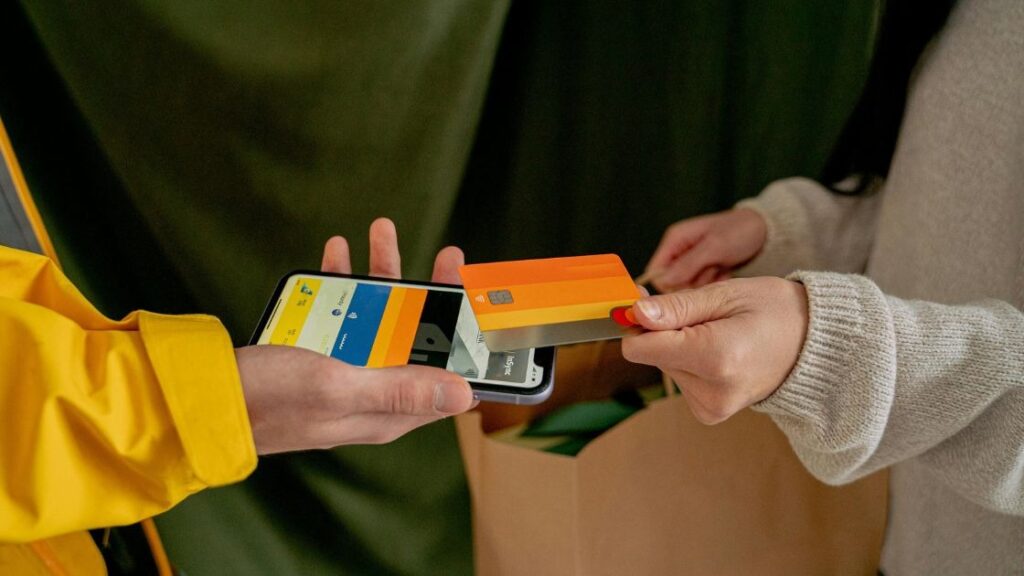
Payment processors like Square, Stripe, and PayPal now let merchants accept contactless payments directly on an NFC enabled iPhone or Android device. No separate hardware needed. According to Mordor Intelligence’s 2026 Digital Payments report, Fiserv’s Clover Flex 4 demonstrated that tap to phone solutions can reduce hardware costs by up to 70%.
Best for: Solo entrepreneurs, freelancers, home service providers, and businesses with low transaction volumes.
All in One POS Systems
These combine a contactless reader with inventory management, sales analytics, employee tracking, and customer loyalty features in one platform. Square, Clover, and Shopify POS are the most recognized options. The upfront cost is higher, but the integrated workflow saves significant time on daily admin.
Best for: Growing retail businesses, multi location stores, and restaurants needing full operational control.
Key Features to Look for in a Contactless Card Machine
Choosing the right NFC payment terminal means looking beyond the sticker price. Prioritize these five features to ensure the device fits your daily operations.
Multi Payment Acceptance
Your reader should handle NFC tap to pay cards, mobile wallets (Apple Pay, Google Pay, Samsung Pay), EMV chip cards, and magnetic stripe for older cards. According to Coinlaw’s Digital Wallet Adoption Statistics, fewer than 60% of U.S. small businesses currently accept digital wallets, which means offering wallet support puts you ahead of a large share of competitors.
Integration With Existing Software
A strong contactless machine syncs automatically with your accounting tools (QuickBooks, Xero), e commerce platform, and inventory system. This eliminates manual data entry, reduces reconciliation errors, and gives you a single dashboard view of all sales channels.
Battery Life and Connectivity
For mobile businesses, look for devices that last a full working day on one charge. Confirm whether the terminal supports Wi Fi, Bluetooth, and cellular (4G/5G) so you can process payments in locations without a fixed internet line, like outdoor markets or client homes.
Transaction Fees and Pricing Transparency
Most providers charge a per transaction fee ranging from 1.5% to 2.9%. The Epos Now 2025 survey found that 77.6% of small business owners cited high transaction fees as their top payment system frustration. Watch for hidden monthly charges, long term contracts, and early termination penalties. Flat rate pricing from Square and SumUp keeps costs predictable.
Security and PCI Compliance
Every terminal should meet PCI DSS (Payment Card Industry Data Security Standard) requirements. Look for end to end encryption, tokenization, and real time fraud monitoring. These layers protect both your revenue and your customers’ data.
Top Contactless Machine Options for Small Businesses in 2026
Below is a side by side comparison of five widely used contactless payment terminals designed for small and mid sized operations.
| Provider | Best For | Hardware Cost | Transaction Fee | Key Strength |
| Square | Retail and cafés | Free basic reader; Terminal from $149 | 2.6% + $0.10 | All in one POS ecosystem with next day deposits |
| SumUp | Market vendors and mobile sellers | Reader from $39 | 2.75% flat | No monthly fees, ultra portable design |
| Clover | Restaurants and service businesses | Devices from $599 | Varies by plan | Extensive app marketplace for customization |
| Shopify POS | Omnichannel retailers | Tap and Chip reader from $49 | 2.6% + $0.10 (Basic plan) | Seamless online and in store inventory sync |
| PayPal Zettle | Freelancers and pop ups | Reader from $29 | 2.29% + $0.09 | Accepts PayPal and Venmo alongside cards |
Note: Pricing reflects publicly listed rates as of early 2026 and may vary based on your agreement with each provider.
Square remains the most popular choice among small retailers because it bundles free POS software with affordable hardware and deposits funds the next business day. For shops already selling through Shopify’s online platform, the Shopify Tap and Chip reader keeps inventory counts accurate across digital and physical storefronts automatically. SumUp appeals to vendors who want the lowest entry cost with absolutely zero monthly commitments.
Pro Tip: Before signing up, request a full fee schedule from at least two providers. Compare not just the per tap rate but also monthly software fees, chargeback costs, and payout timelines. The cheapest reader is not always the cheapest to operate.
Step by Step Guide to Installing Your Contactless Payment Machine
Getting started with an NFC card reader takes less than 30 minutes for most small business owners. Follow these six steps to go from unboxing to your first live transaction.
- Select your payment processor. Compare providers using the table above. Focus on transaction fees, contract flexibility, and which payment types each one supports.
- Order your hardware. Most providers ship terminals within a few business days. Some, like Square, offer same day activation through their mobile app.
- Connect the device. Pair the reader with your smartphone, tablet, or POS system via Bluetooth or Wi Fi. Follow the on screen prompts to link your business bank account for deposits.
- Customize your settings. Add your business name and logo to digital receipts. Set tip options if applicable and configure tax rates for your region.
- Train your staff. Walk your team through the tap to pay workflow. A five minute hands on demonstration is usually enough for full confidence.
- Run a test transaction. Process a small payment using your own card to confirm the entire flow works, from tap to deposit confirmation, before serving real customers.
If you run into setup issues, every major provider offers live chat, phone support, or video tutorials during business hours.
Common Mistakes to Avoid When Choosing a Contactless Card Reader
Even with simple technology, a few common missteps can cost you money or create ongoing frustration.
Ignoring Total Cost of Ownership
A reader priced at $29 looks attractive until you add monthly software subscriptions, premium support fees, and a higher per transaction rate. Always calculate the full annual cost, including all recurring charges, before committing to a provider.
Locking Into Long Term Contracts
Some processors require 12 to 36 month agreements with early termination penalties. For a small business still testing what works, month to month or pay as you go plans offer far more flexibility and lower risk.
Overlooking Software Integrations
A contactless machine that cannot sync with your accounting or inventory tools creates double entry and reconciliation headaches. Before purchasing, verify that the terminal integrates with the platforms you already use, whether that is QuickBooks, Xero, Shopify, or another system.
Skipping Staff Training
A terminal is only as effective as the team operating it. Untrained staff can cause failed transactions, longer wait times, and confused customers. Schedule a short, dedicated training session on the day you go live.
Choosing Based on Brand Name Alone
The most recognized brand is not always the best fit for your operation. A food truck owner needs portability and battery life, not a heavy countertop system. Match the terminal to your specific workflow rather than defaulting to the most advertised option.
The Future of Contactless Payments for Small Businesses
The tap to pay market is expanding rapidly. According to Fortune Business Insights, the global contactless payment market is projected to grow from $50.79 billion in 2026 to $128.35 billion by 2034, at a compound annual growth rate of 12.30%. Small business owners should watch three emerging shifts closely.
Biometric checkout is coming. Fingerprint and facial recognition payment methods are gaining traction across retail and hospitality. Industry analysts expect biometric verification to become a standard feature on wearable payment devices within the next few years.
AI powered fraud detection is getting smarter. Machine learning models now analyze thousands of transactions per second, flagging suspicious activity in real time while reducing the false declines that frustrate legitimate customers. The McKinsey 2025 Global Payments Report highlights AI based fraud detection and liquidity management as key technologies reshaping how money moves for both consumers and businesses.
Smartphone acceptance will keep growing. As more processors enable Tap to Pay on iPhone and Android, the need for separate hardware may shrink further, lowering the entry barrier for micro businesses, side hustles, and solo operators who want to accept card payments with zero upfront investment.
Conclusion
A contactless machine for small business is no longer a luxury. It is a practical, measurable investment that speeds up checkout, increases average spend, strengthens payment security, and cuts cash handling costs. Whether you choose a $29 pocket reader for your market stall or a full countertop POS for your retail store, the right NFC terminal pays for itself through faster service and stronger customer loyalty.
Start by identifying your transaction volume and mobility needs. Compare two or three providers using the feature checklist and cost table in this guide. Run a test transaction before going live. The setup takes under 30 minutes, and the impact on your customer experience is immediate.
Have a question about which contactless terminal fits your specific business type? Drop it in the comments below. And if this guide saved you research time, share it with a fellow small business owner who is still deciding whether tap to pay is worth the switch.
Frequently Asked Questions
How much does a contactless machine cost for a small business?
Entry level NFC card readers start between $29 and $49 from providers like SumUp and PayPal Zettle. More advanced countertop terminals with built in receipt printers and touchscreens typically range from $149 to $799 depending on the brand and feature set. Most processors also charge a per transaction fee between 1.5% and 2.9%.
Is a contactless payment terminal safe for small businesses?
Yes. Contactless terminals use tokenization and end to end encryption to protect every transaction. Rather than transmitting actual card numbers, the system generates a unique, disposable digital code each time. This makes tap to pay significantly more secure than traditional magnetic stripe swipes, where real card data is exposed during every transaction.
Can I accept Apple Pay and Google Pay on a contactless reader?
Most modern NFC enabled terminals support all major mobile wallets, including Apple Pay, Google Pay, and Samsung Pay. When a customer holds their phone or smartwatch near your reader, the transaction processes exactly like a contactless card tap. Always confirm mobile wallet compatibility with your provider before purchasing.
Do I need a dedicated internet connection for a contactless terminal?
Not necessarily. Some compact readers connect through your smartphone’s Bluetooth and use its mobile data. Countertop terminals usually require Wi Fi or Ethernet. Certain portable devices also include built in 4G or 5G cellular connectivity, which is useful for outdoor markets, delivery routes, or locations with unreliable Wi Fi.
What happens if my internet drops during a transaction?
Many contactless terminals include an offline mode that stores transaction data locally and processes it once connectivity is restored. However, offline capabilities vary by provider and plan, so verify this feature before relying on it for events or remote selling locations.
How long does it take to set up a contactless payment machine?
Most small business owners finish the full setup in under 30 minutes. The process involves creating a merchant account, pairing the device with your phone or POS system, linking your bank account for deposits, and customizing receipt settings. No technical background is needed, and most providers include guided setup instructions in their app.