The digital debit card PayPal provides is a virtual version of the PayPal Debit Mastercard that lives inside the PayPal app, ready to spend the moment your account is approved and before any physical card reaches your mailbox. It carries a full 16 digit card number, expiration date, and CVV, works anywhere Mastercard is accepted, and can be added to Apple Pay, Google Pay, or Samsung Pay for instant contactless purchases.
Table of Contents
This guide walks through exactly how the virtual version works, who can apply for one, the cashback rewards structure, fees, spending limits, and the common setup issues that trip up new applicants.
What this guide covers:
- What the virtual form of the PayPal Debit Card is and how it differs from Pay in 4 virtual numbers
- Who qualifies and how the application process works inside the PayPal app
- Adding the card to Apple Pay, Google Pay, and Samsung Pay
- Cashback rewards and how the 5 percent category offers work
- Fees, spending limits, and ATM access rules
- Security features, instant card lock, and fraud protection
- Troubleshooting the most common activation and payment errors

What Is the Digital Debit Card PayPal Offers?
Quick answer: The digital debit card PayPal offers is a virtual version of the PayPal Debit Mastercard, visible inside your PayPal app immediately after approval. It carries a real 16 digit card number, expiration date, and CVV, and can be used for online purchases, mobile wallet payments, and anywhere Mastercard is accepted.
How It Differs From a Physical Card
The digital version appears in app from day one, while the physical plastic card usually arrives within 7 to 10 business days by mail. Both share the same account and the same spending balance, so a purchase made with the virtual card draws from the same PayPal Balance as a later physical card transaction.
How It Differs From PayPal Pay in 4 Virtual Numbers
Do not confuse the digital debit card with the temporary 24 hour virtual numbers PayPal generates for its Pay in 4 service. Pay in 4 numbers are single use tokens tied to an installment plan, while the debit card is a permanent card linked to your PayPal Balance account, according to PayPal’s official debit card page.
What You Can Do With It
- Pay at any online store that accepts Mastercard
- Tap and pay through Apple Pay, Google Pay, or Samsung Pay
- Shop in person at contactless terminals via a mobile wallet
- Cover subscriptions, utility bills, and digital services automatically
- Withdraw cash at ATMs after the physical card arrives
- Earn cashback on selected rotating categories each month
Who Can Get the Digital Version of PayPal’s Debit Card?
Quick answer: The digital debit card PayPal issues is available to verified United States residents age 18 or older who hold a PayPal Balance account. A regular PayPal account alone is not enough, because the card needs a Balance account to pull funds from.
Basic Eligibility Checklist
- Legal resident of the United States with a valid address
- At least 18 years old
- A verified PayPal account in good standing
- A PayPal Balance account enabled on your profile
- A Social Security number for identity verification
The product is currently a United States only offering. If you live outside the US, the card will not be available in the PayPal app even if your account is fully verified.
Why the PayPal Balance Account Is Required
The card pulls funds from your PayPal Balance whenever you spend at a merchant that does not support the PayPal wallet directly. Without a Balance account, there is no pool of money for the card to draw from. Opening the Balance account usually happens inside the same application flow when you apply for the card, so most users enable both at once.
What Happens If You Are Declined
Declines usually come down to identity verification or address mismatches. PayPal cross checks your details against credit bureau records, and any discrepancy in your name, address, or date of birth can trigger a rejection. Updating your profile and reapplying after a few days usually clears the issue.
How to Apply for PayPal’s Digital Debit Card
Quick answer: Open the PayPal app, tap the PayPal Debit Card section, choose Apply, confirm your personal details, agree to the terms, and the virtual card appears immediately after approval. Most applications are approved on the spot.
Step by Step Inside the PayPal App
- Open the PayPal mobile app on iOS or Android
- Tap the Finances or Wallet tab depending on your app version
- Select PayPal Debit Card and tap Apply
- Confirm your legal name, address, date of birth, and Social Security number
- Accept the cardholder terms and conditions
- Wait a few seconds for the approval screen
- Tap Reveal Card to view the full 16 digit number, expiration date, and CVV
What to Do Immediately After Approval
Move some funds into your PayPal Balance so the card has money to spend right away. Adding the card to a mobile wallet is the logical next step, since it unlocks tap and pay usage at millions of contactless terminals well before the physical card arrives in the mail. You can also set the card as the default funding source for your PayPal Balance if you want all incoming payments to stack on the card automatically.
Why the Digital Card Is Useful Before the Physical One Arrives
Users often need card access the same day they apply, whether for a subscription renewal, a time sensitive online order, or an in store purchase through Apple Pay. Having the virtual card ready inside the app removes that waiting period entirely. This same day access is one of the biggest reasons people choose the PayPal Debit Card over a traditional bank debit card that ships only in plastic form.
Adding the Card to Apple Pay, Google Pay, and Samsung Pay
Quick answer: Open your mobile wallet app, tap Add a Card, scan or type the virtual card number from your PayPal app, complete the verification text or email code, and the card is ready for contactless payments within minutes.
The digital debit card PayPal issues works with every major mobile wallet in the United States. The process is nearly identical across platforms, though the specific button labels differ slightly.
| Mobile Wallet | Where to Add It | Verification Method |
| Apple Pay | Wallet app on iPhone | One time text code |
| Google Pay | Google Wallet on Android | Email or text code |
| Samsung Pay | Samsung Wallet on Galaxy devices | Text code or app login |
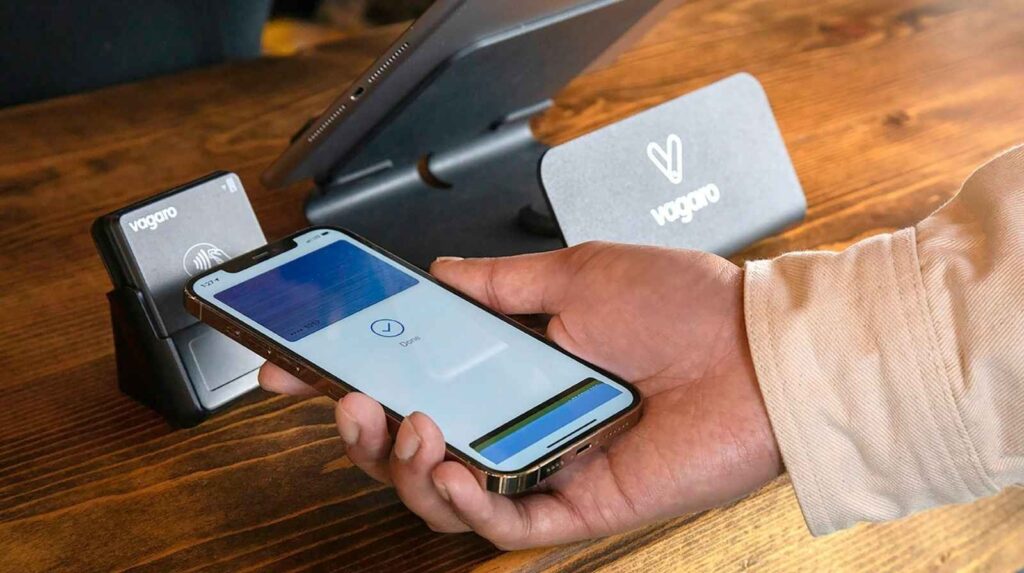
Once added, you can tap to pay at any contactless terminal, skip entering card details on Safari, Chrome, and Samsung Internet checkouts, and authorize transactions with Face ID, fingerprint, or PIN.
A Practical Tip
Add the card to two wallets if you use both an iPhone and an Android tablet. That way, a lost phone does not cut off your ability to spend, and each device handles its own tokenization independently.
Cashback Rewards and How the 5 Percent Offers Work
Quick answer: The PayPal Debit Card rewards program gives 5 percent cashback on one rotating spending category each month, selected from your PayPal app, with standard usage earning cashback at lower percentages depending on ongoing promotions.
According to the PayPal Debit Card rewards page, rewards post to your PayPal Balance and can be spent immediately. Typical categories that rotate include groceries, gas, dining, streaming, and travel.
How to Maximize Rewards
- Pick the category that matches your highest monthly spending
- Switch the category on the first of the month if your routine changes
- Stack cashback with merchant specific PayPal offers when available
- Use the digital card for recurring subscriptions so you never miss an eligible transaction
- Review the rewards dashboard weekly to track accrued cashback
Fees, Limits, and ATM Access
Quick answer: The PayPal Debit Card has no monthly fee and no foreign transaction fee on most transactions, but ATM withdrawals outside the MoneyPass network incur a small fee, and daily spending limits apply based on account verification.
| Fee or Limit | Amount |
| Monthly account fee | None |
| Card replacement fee | Free for the first card |
| In network ATM withdrawals | Free at MoneyPass locations |
| Out of network ATM fee | Typically around $2.50 plus operator fees |
| Daily spending limit | Usually up to $3,000 for verified accounts |
| Daily ATM withdrawal limit | Usually up to $400 |
Limits can vary based on how long your account has been active, so newer accounts may see lower ceilings until more spending history is built up.
Security Features and Instant Card Lock
Quick answer: The digital debit card PayPal provides includes instant card lock, real time purchase alerts, PayPal’s purchase protection on eligible transactions, and Mastercard Zero Liability coverage against unauthorized charges.
Security controls live directly inside the PayPal app, so you can freeze the card the moment something looks wrong. If you notice a charge you did not make, locking the card stops all new transactions while you investigate, and unlocking takes a single tap once the issue is cleared.
Practical Safety Habits
- Turn on transaction notifications for every single purchase
- Lock the card anytime your phone is lost or stolen
- Review monthly statements inside the PayPal app for unusual activity
- Never share the 16 digit virtual number outside trusted merchant checkouts
- Use a unique, strong password and enable two step verification on your PayPal account
Troubleshooting Common Issues
Quick answer: Most setup failures trace back to unverified accounts, address mismatches, or a missing PayPal Balance account. The fix is almost always completing identity verification or updating profile details to match official records.
- Card application declined: confirm your name, address, and date of birth match your official ID
- Mobile wallet rejects the card: try removing and reading it, or switch to the web app
- Payment declined at checkout: confirm your PayPal Balance has sufficient funds
- Card not visible in app: make sure you have both a PayPal Balance account and app version up to date
- Refund missing after a return: check the PayPal Activity feed, since refunds to the card post to your Balance
Conclusion
The digital debit card PayPal issues solves a real problem for anyone who wants same day access to debit spending, generous rotating cashback, and tight control over fraud without waiting for plastic to arrive in the mail. Open the PayPal app, apply in under two minutes, add the card to your mobile wallet, pick the 5 percent cashback category that matches your highest monthly spend, and you have a full debit spending setup working before lunchtime. Topics worth exploring next include the PayPal Credit Card comparison, linking external virtual cards to PayPal for international users, and how the PayPal Debit Card stacks up against Cash App and Venmo.
If this guide helped you set up the card correctly the first time, share it with someone who is still waiting for a traditional bank debit card, drop a comment with the cashback category that earned you the most last month, and try the mobile wallet setup today so your first tap to pay lands on a rewards earning transaction.
Is the digital debit card PayPal issues free to use?
Yes, the card has no monthly fee and no foreign transaction fee on most purchases. Out of network ATM withdrawals and certain optional services may carry small charges, all of which are listed in the cardholder agreement inside the PayPal app.
Can I use the virtual card before my physical card arrives?
Yes, the virtual card is visible in your PayPal app the moment your application is approved. You can use it for online purchases and mobile wallet tap to pay right away, with the physical card arriving by mail within about 7 to 10 business days.
Does the PayPal Debit Card generate new card numbers for each transaction?
No, the main card has one fixed 16 digit number. PayPal does generate 24 hour single use numbers through its Pay in 4 feature, but that is a separate installment product rather than a function of the debit card.
Can I get the PayPal Debit Card outside the United States?
No, the current PayPal Debit Mastercard is a United States only product. Users in other regions should look at international alternatives such as the Revolut card, Wise debit card, or local PayPal linked solutions.
How does the 5 percent cashback actually work?
Each month you choose one rotating category from inside the PayPal app, and qualifying purchases in that category earn 5 percent back, typically up to a posted monthly cap. Rewards land in your PayPal Balance automatically and can be spent immediately.
Is the digital debit card PayPal provides safe for online shopping?
Yes, it includes Mastercard Zero Liability protection, instant card lock inside the app, and PayPal’s standard fraud monitoring. Adding the card to a mobile wallet adds another layer because tokenization replaces the real card number during each transaction.