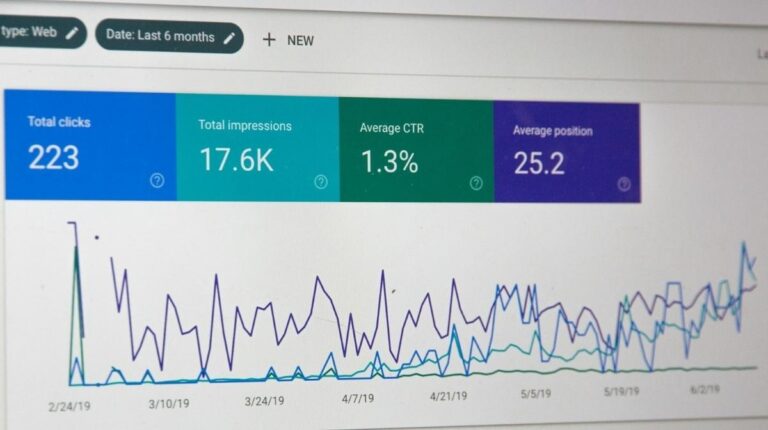
Running Facebook ads for YouTube videos can absolutely grow a channel, but most guides skip the one truth that matters: Meta’s algorithm actively makes off platform traffic more expensive than on platform traffic, which is why your CPCs look painful. Once you understand why that happens and how to work around it, the strategy becomes one of the most reliable paid growth levers available to creators.
Table of Contents
This guide shows you the exact setup, the tracking workarounds the Meta Pixel cannot solve, realistic cost ranges, and the specific creative structure that survives the scroll. The goal is simple: help you buy real viewers at a price that makes sense, not vanity clicks that vanish at the 10 second mark.

Quick Answer: Does This Strategy Actually Work in 2026?
Yes, but only under three conditions:
- You treat the ad itself as a complete mini video, not a teaser
- You use a landing page or redirect to protect the Pixel signal, or you accept limited retargeting
- You budget for higher CPCs than native Meta video campaigns, typically 1.5 to 3 times higher
Creators who ignore these conditions burn money fast. Creators who respect them often see a 30 to 60 day payback window on subscriber lifetime value, especially in high RPM niches like finance, software, and B2B.
Why Facebook Ads for YouTube Videos Cost More Than You Expect
Featured Snippet Answer
Meta charges more for campaigns that send users off Facebook because its algorithm optimizes for session time on its own apps. Sending traffic to YouTube hurts that metric, so the auction rewards you with higher costs and lower delivery.
The Off Platform Penalty Nobody Warns You About
Meta has publicly stated in its advertising principles that ad delivery is influenced by expected user value, which includes time spent inside the Meta ecosystem. When your destination is youtube.com, that value signal drops instantly.
The practical effect is straightforward. A native Facebook video view ad might deliver CPMs between $4 and $9 in the US. The same creative pointing to YouTube often sees CPMs climb to $10 to $18 because the system has to overcome its own bias against the external link.
What This Means for Your Budget
Plan for a realistic cost per landed YouTube view between $0.08 and $0.25 in most English speaking markets. WordStream’s 2024 Facebook ads benchmark report places the average cross industry CPC near $1.72, and off platform destinations typically sit above that median rather than below it.
The Core Question: Should You Use Meta Ads or YouTube Ads Instead?
Featured Snippet Answer
Use YouTube Ads when your goal is pure view count or subscribers at the lowest cost per view. Use Meta Ads when your audience targeting is sharper on Facebook or Instagram than on Google, or when you need demographic overlap that YouTube cannot match.
Quick Comparison Table
| Factor | Meta Ads to YouTube | YouTube Ads (In Feed or TrueView) |
| Typical cost per view | $0.08 to $0.25 | $0.02 to $0.10 |
| Audience precision | Very high on interests and lookalikes | Moderate, improving with intent signals |
| Retargeting video viewers | Limited (Pixel cannot fire on YouTube) | Full, inside Google Ads |
| Creative flexibility | High, any feed or reel format | Medium, tied to YouTube placements |
| Best for | Niche interest targeting, warm email or site audiences | Broad awareness at low CPV |
For most creators, a blended approach works best. Use YouTube Ads for top of funnel cheap views, and use Meta for precision retargeting of your existing site and email audiences.
How to Set Up Facebook Ads for YouTube Videos Step by Step
Featured Snippet Answer
Choose the Traffic or Engagement objective, upload your video natively as the ad creative, point the destination URL to your YouTube video, layer interest plus lookalike audiences, and track performance through UTM parameters in YouTube Analytics.
Step 1: Pick the Right Campaign Objective
The 2024 Meta Ads Manager objectives changed terminology. The three worth testing are:
- Traffic for direct link clicks to YouTube, best when your video thumbnail and title do the selling
- Engagement with the video view sub objective, best for awareness and cheap reach
- Sales with a website conversion event, only if you have a landing page between Meta and YouTube
Avoid the Awareness objective for this use case. It optimizes for impressions, not the deliberate click that a YouTube visit requires.
Step 2: Build the Audience Stack
Layer your targeting in three concentric rings.
- Core audiences: interests, behaviors, and job titles that describe your ideal viewer
- Custom audiences: email subscribers, past site visitors, and past video viewers from native Meta uploads
- Lookalike audiences: 1 to 3 percent lookalikes built from your best performing custom audience
Meta’s own Business Help Center confirms that lookalike audiences work best when the source contains at least 1,000 high quality records.
Step 3: Upload Your Video Natively as the Ad Creative
This is the counterintuitive move most tutorials get wrong. Do not upload a 15 second teaser. Upload a 60 to 90 second self contained edit that delivers genuine value, then place your YouTube link in the primary text, headline, and call to action button.
Why this works: Meta rewards dwell time on its own platform. A longer native watch lifts your relevance score, which lowers your auction cost, which then makes the click to YouTube cheaper.
Step 4: Add UTM Parameters Before You Launch
This step is non negotiable because the Meta Pixel cannot track YouTube views. Build your UTM string through Google’s Campaign URL Builder and include:
- utm_source=facebook
- utm_medium=paid_social
- utm_campaign= followed by your campaign name
- utm_content= followed by the ad creative variant
Once the video is live, pull traffic data from YouTube Studio under the Traffic Source breakdown. That is your ground truth, not Ads Manager.
Tracking Facebook Ads for YouTube Videos Without the Pixel
Featured Snippet Answer
Since the Meta Pixel cannot fire on YouTube, use three workarounds: UTM parameters tracked inside YouTube Studio, a thin redirect landing page on your own domain where the Pixel can fire, or a branded short link service like Rebrandly or Bit.ly for click attribution.
The Redirect Landing Page Method
Create a bare page at a URL like yoursite.com/watch that fires the Meta Pixel on load, then redirects to the YouTube video within 1 to 2 seconds. This preserves your ability to build custom audiences of ad clickers and feed that data back into lookalikes.
Used correctly, this single tactic often cuts cost per subscriber by 20 to 40 percent within the first month because your retargeting pool finally has meaningful depth.
In the second half of this guide, we move into the creative structure that survives the scroll, the $50 test budget framework, the three mistakes that kill 80 percent of campaigns, and the 30 day optimization roadmap that turns a leaky funnel into a predictable subscriber pipeline.
The Creative Structure That Survives the Scroll
Featured Snippet Answer
Winning video ads follow a four part structure: a 3 second visual hook, a 15 second value demonstration, a 30 second proof or story, and a final 10 second call to action that names the YouTube video by title.
The Hook Opens the Wallet
The first three seconds decide whether the auction was worth paying for. Meta’s own creative research has repeatedly shown that videos conveying their core message in the opening frames outperform slow builds by a wide margin.
Use one of these hook formats:
- A direct question tied to the viewer’s pain point
- A bold contrarian claim that invites verification
- A visible result shown before the explanation
- A pattern break such as sudden motion, zoom, or on screen text
Keep Captions On By Default
Around 85 percent of Facebook video views happen without sound, based on long standing industry reporting from Digiday and Meta itself. Burned in captions are not optional, they are the difference between a $0.10 click and a $0.40 click.
The $50 Test Budget Framework
Featured Snippet Answer
Split a $50 test across five ad sets at $10 each, run for 72 hours, then scale only the one or two winners that hit your target cost per click or cost per landed view.
How to Structure the Test
| Ad Set | Variable Tested | Budget |
| Set A | Interest audience 1 | $10 |
| Set B | Interest audience 2 | $10 |
| Set C | Lookalike 1 percent | $10 |
| Set D | Retargeting warm audience | $10 |
| Set E | Creative variant on best guess audience | $10 |
Kill any set that exceeds your target cost by the 48 hour mark. Double the daily budget on survivors every 72 hours, never more aggressively, because Meta’s learning phase resets with large jumps.
Three Mistakes That Kill Most Campaigns
- Sending cold traffic directly to long form content. A cold viewer rarely commits to a 12 minute video on first touch. Promote shorter cuts, then retarget watchers with the full piece.
- Ignoring frequency caps. Once frequency climbs above 3 in a week, cost per action typically spikes. Rotate creatives every 10 to 14 days.
- Measuring the wrong metric. Ads Manager shows link clicks, but YouTube Studio shows actual watch time. Always reconcile the two before scaling spend.
The 30 Day Optimization Roadmap
Week 1: Launch and Learn
Ship the $50 test, install your redirect page, and verify UTMs appear correctly inside YouTube Studio’s external traffic report.
Week 2: Consolidate Winners
Pause the bottom three ad sets. Move budget to the top two and introduce one new creative variant against the same audience.
Week 3: Build the Retargeting Layer
With roughly 1,000 ad clickers captured through your redirect page, launch a lookalike audience and a warm retargeting sequence showing your next best video.
Week 4: Scale Deliberately
Increase daily spend by 20 to 30 percent every other day on the top performer. Watch frequency, cost per subscriber, and average view duration in YouTube Analytics together, because any one metric in isolation lies.
Topical Range: Related Strategies Worth Knowing
Running paid social is one lever, but the creators who compound growth usually stack it with:
- Instagram Reels ads inside the same Meta campaign, which often deliver cheaper video views than the Facebook feed
- YouTube Shorts ads through Google Ads, useful for funneling Shorts viewers into long form content
- Email nurture sequences that convert ad driven subscribers into repeat viewers
- Creator collaborations that lower cost per subscriber by borrowing trust from an established audience
Layering these prevents over reliance on any single channel and protects the channel when Meta’s costs spike seasonally, which eMarketer data consistently shows happens every Q4.
Conclusion
Facebook ads for YouTube videos remain one of the few paid tactics where precision targeting on Meta meets the monetization power of YouTube, and the creators who win with it are the ones who respect its quirks. Accept the off platform premium, use a redirect page to rescue your tracking, build real creative rather than teasers, and test in $10 increments before scaling.
Do the setup once, measure honestly for 30 days, and the math usually tells you clearly whether to scale or pivot. Try the $50 test framework this week, and share your cost per landed view in the comments so other creators can benchmark against real numbers rather than guesses.
Can you promote YouTube videos directly through Facebook Ads Manager?
Yes, you can place your YouTube link as the destination URL in a Traffic or Engagement campaign. The caveat is that the Meta Pixel cannot track actions on YouTube.com, so retargeting requires a redirect landing page on your own domain.
What budget do you need to see real results?
Most creators see meaningful directional data from a $50 to $150 test spread across five ad sets over 72 hours. Scaling campaigns typically require $500 to $2,000 per month before cost per subscriber stabilizes.
Why are my CPCs so high when I send traffic to YouTube?
Meta’s auction rewards on platform time, so destinations like YouTube carry a structural cost premium. Uploading a strong native video as the ad creative and using high relevance audiences are the two fastest ways to pull costs back down.
Is it better to upload videos natively to Facebook or link to YouTube?
For pure reach and engagement, native uploads win almost every time. For building a YouTube channel with monetizable watch time, linking out is the correct choice despite the higher cost.
How long until campaigns start converting profitably?
Expect 14 to 30 days before the data is stable enough to judge. Scaling before that window usually triggers Meta’s learning phase to reset, which wastes budget.
Do you need a website to run Facebook ads for YouTube videos?
Technically no, but functionally yes. A simple redirect page lets the Meta Pixel fire, which unlocks retargeting and lookalike audiences that dramatically improve efficiency over time.